

G-Technology External Hard Drive Recovery
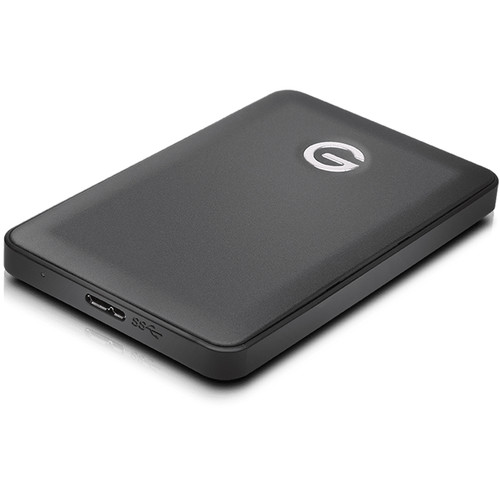
G-Technology external drives give you best speed, capacity and convenience in an increasingly mobile environment both at work and at home. You can save your photos, music, movies, documents, even games on a business trip or on vacation. But, sometimes, G-Technology G-DRIVE external hard drives suddenly fail to work. Your files become hidden or corrupted or even completely lost. There are many reasons why things can go terribly wrong.
G-Technology External Drive Data Recovery Experts in Temecula
Recovering data from a G-Technology G-DRIVE portable drive can be a very simple or very complex process, depending of the evaluation of the fault made on a case by case basis. Making sure you work with an efficient and professional data recovery company to recover the lost data is highly important. Recover My Lost Data (RMLD) can help you get back deleted, formatted or even inaccessible data from all G-Drive hard drive and SSD models including G-DRIVE mobile (USB3.0), G-DRIVE slim, G-DRIVE mobile USB, G-DRIVE mini, G-DRIVE mobile USB, G-DRIVE mobile with Thunderbolt, G-DRIVE mobile USB-C, G-DRIVE USB-C, G-DRIVE PRO with Thunderbolt, G-DRIVE with Thunderbolt and G-DRIVE with Thunderbolt 3 thanks to its data recovery assistance services and a team of expert technicians on-site.
Our data recovery lab, based in Temecula, fully supports data recovery from all types of G-Technology G-DRIVE external drives. Some of the most common failures we have to deal with include:
- Potential virus attacks
- Inaccessible or corrupted files
- Slow responding drives
- Physically damaged drives
- Head crash on platters
- Spindle motor failure
- Firmware fault
- Electronic failure or power surge
- Mechanical or internal failure
- Bad sectors or bad blocks on the hard disc
- Human error which cause the deletion of files or partitions
Recover My Lost Data (RMLD) can deal with any G-Technology G-DRIVE portable hard drive failure and have all the necessary knowledge, tools and equipment to fix a logical failure or a physical one. We have invested in the latest data recovery tools and our team is trained to offer the most cost-effective and fast G-Technology external hard drive recovery solution to ensure the highest possible success rate of retrieval.
From simple data transfer, to by-passing bad sectors on your G-Technology G-DRIVE external drive or carrying out a head transplant in order to access the data, we apply a range of the most effective data retrieval techniques.
So if you data is no longer accessible, if your hard drive is no longer recognised, if you hear a clicking or grinding noise, if your system freezes, if your screen becomes black after booting, if you have carried out the wrong OS installation, if you have modify the system registry setting or for any other issue affecting the normal functions of your G-DRIVE portable hard drive, speak to a G-Technology external hard drive recovery expert at Recover My Lost Data (RMLD) today.