
Free evaluation No recovery, no charge Free shipping to the lab Temecula, CA and London, UK. Mail-in service across the US.

HP and HPE RAID data recovery

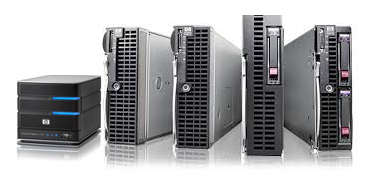
ProLiant DL and ML servers on Smart Array controllers, MSA storage and StoreEasy NAS. Expert recovery when a logical drive has failed.

  • Free evaluation
  • No recovery, no charge
  • Free shipping to the lab

HP and HPE server recovery in Temecula

HP's server business has traded as Hewlett Packard Enterprise since 2015. Whether the badge says HP or HPE, ProLiant servers and Smart Array controllers work the same way, and we recover every generation of them.

Systems we recover

ProLiant DL, ML and MicroServer
From G5 and G6 machines through Gen8, Gen9 and Gen10 to the current Gen11 and Gen12.
Smart Array controllers
P400, P410, P420, P440ar, P840 and the Gen10 P408i and E208i families.
HPE MR and SR controllers
The MegaRAID-based and SmartRAID-based controllers in Gen10 Plus and later servers.
Software RAID
Dynamic Smart Array B-series and S100i.
MSA and StorageWorks
P2000 and MSA 2040, 2050 and 2060 SAN arrays.
StoreEasy and StoreVirtual
Windows-based NAS and LeftHand iSCSI storage.
Nimble and 3PAR
Enterprise arrays.

What goes wrong

Logical drive failed
More drives have failed than the array can tolerate, often during a rebuild.
"Drive array not configured" at start-up
The controller no longer finds its configuration on the drives.
Cache module or capacitor failure
Writes held in the controller's cache are lost and the file system is left inconsistent.
Controller failure or replacement
A new controller, or a move to a different server generation, does not pick up the array.
Wrong drive replaced
A healthy member is pulled in place of the failed one.
SSD firmware faults
Certain HPE SAS SSD models failed at a fixed number of power-on hours until patched. Arrays built from one batch could lose several drives together.
Corrupt datastores and databases
The array is healthy and the VMware, Hyper-V or SQL data on it is damaged.

Do not re-enable a failed logical drive or accept a prompt to initialize. Power the server down and call us.

HP models we recover, 2013 to 2026

Examples of the model numbers we see most often, grouped by the years each range was sold. The model and generation are on the front bezel and the pull-out serial label tab; the Smart Array model is listed in the controller option ROM or iLO.

YearsRangeModel numbers
2010–2017MSA P2000 G3, MSA 1040 and MSA 2040P2000 G3, MSA 1040, MSA 2040, MSA 2042
2012–2014ProLiant Gen8Smart Array P420i / P222 / B120iDL360p Gen8, DL380p Gen8, DL360e Gen8, DL380e Gen8, ML350p Gen8, ML310e Gen8
2012–2017Smart Array, Gen8 and Gen9Smart Array P222, Smart Array P420, Smart Array P420i, Smart Array P430, Smart Array P440ar, Smart Array P840
2013–2026ProLiant MicroServerMicroServer Gen8, MicroServer Gen10, MicroServer Gen10 Plus, MicroServer Gen10 Plus v2, MicroServer Gen11
2014–2017ProLiant Gen9Smart Array P440ar / P840 / B140iDL360 Gen9, DL380 Gen9, ML350 Gen9, DL20 Gen9, ML110 Gen9, ML30 Gen9, DL180 Gen9
2015–2025StoreEasyWindows Storage Server on ProLiant hardwareStoreEasy 1450, StoreEasy 1650, StoreEasy 1850, StoreEasy 1460, StoreEasy 1560, StoreEasy 1660, StoreEasy 1860
2017–2020ProLiant Gen10Smart Array P408i-a / P816i-a / E208i-aDL360 Gen10, DL380 Gen10, ML350 Gen10, DL20 Gen10, ML110 Gen10, ML30 Gen10, DL385 Gen10
2017–2026Smart Array Gen10, MR and SR controllersSmart Array P408i-a, Smart Array P816i-a, Smart Array E208i-a, MR216i-a, MR416i-a, SR932i-p, MR408i-o
2017–2026MSA 2050, 2060 and 2070MSA 1050, MSA 2050, MSA 2052, MSA 1060, MSA 2060, MSA 2062, MSA 2070, MSA 2072
2020–2022ProLiant Gen10 PlusMR216i-a / MR416i-a / SR932i-pDL360 Gen10 Plus, DL380 Gen10 Plus, DL325 Gen10 Plus, DL385 Gen10 Plus, DL20 Gen10 Plus, ML30 Gen10 Plus
2022–2025ProLiant Gen11DL320 Gen11, DL360 Gen11, DL380 Gen11, DL385 Gen11, ML350 Gen11, ML110 Gen11, DL20 Gen11, ML30 Gen11
2025–2026ProLiant Compute Gen12DL320 Gen12, DL340 Gen12, DL360 Gen12, DL380 Gen12, ML350 Gen12

Not listed? These are examples, not limits. If your model is missing we almost certainly still recover it. Give us the number when you start a case.

How we recover HP arrays

Smart Array controllers write their configuration to every member disk. We image each drive, repair any that have failed, read that metadata and rebuild the array virtually. RAID 5, RAID 6 (ADG), RAID 50 and RAID 60 are all handled. The volumes are then recovered and the data verified.

Call RMLD in Temecula on (951) 595-8065 for expert and secure HP RAID recovery, or start a case online.

How a case works

Six steps from the first call to your files. You approve the quote and check the results before paying.

  1. Tell us what happenedCall or start a case online. A technician reviews it and tells you how to send or bring the device.
  2. Ship it or drop it offShipping to the lab is free. You can also hand it in at Temecula or London.
  3. Free evaluationWe diagnose the fault and send a firm quote. Nothing is charged for this.
  4. Recovery in our labOnce you approve, the work is done in-house. Your device never leaves our company.
  5. You check the filesYou receive a list of what was recovered and confirm it before paying.
  6. Data returnedOn a new drive, your own drive, or by encrypted download. No recovery means no charge.

Talk to a technician before you try anything else

The evaluation is free, and the first advice you get can decide whether the data comes back.

CallStart a case